If you open a Canada Goose product link and find that the redirect URL, product title, color, size, images, or fill description don't match the original page, don't pay yet, and don't assume it's just a product change. Your task is to preserve the original page evidence, confirm whether the pre- and post-redirect pages are still pointing to the same product, and submit a reproducible verification request to the relevant site if you can't confirm. Th
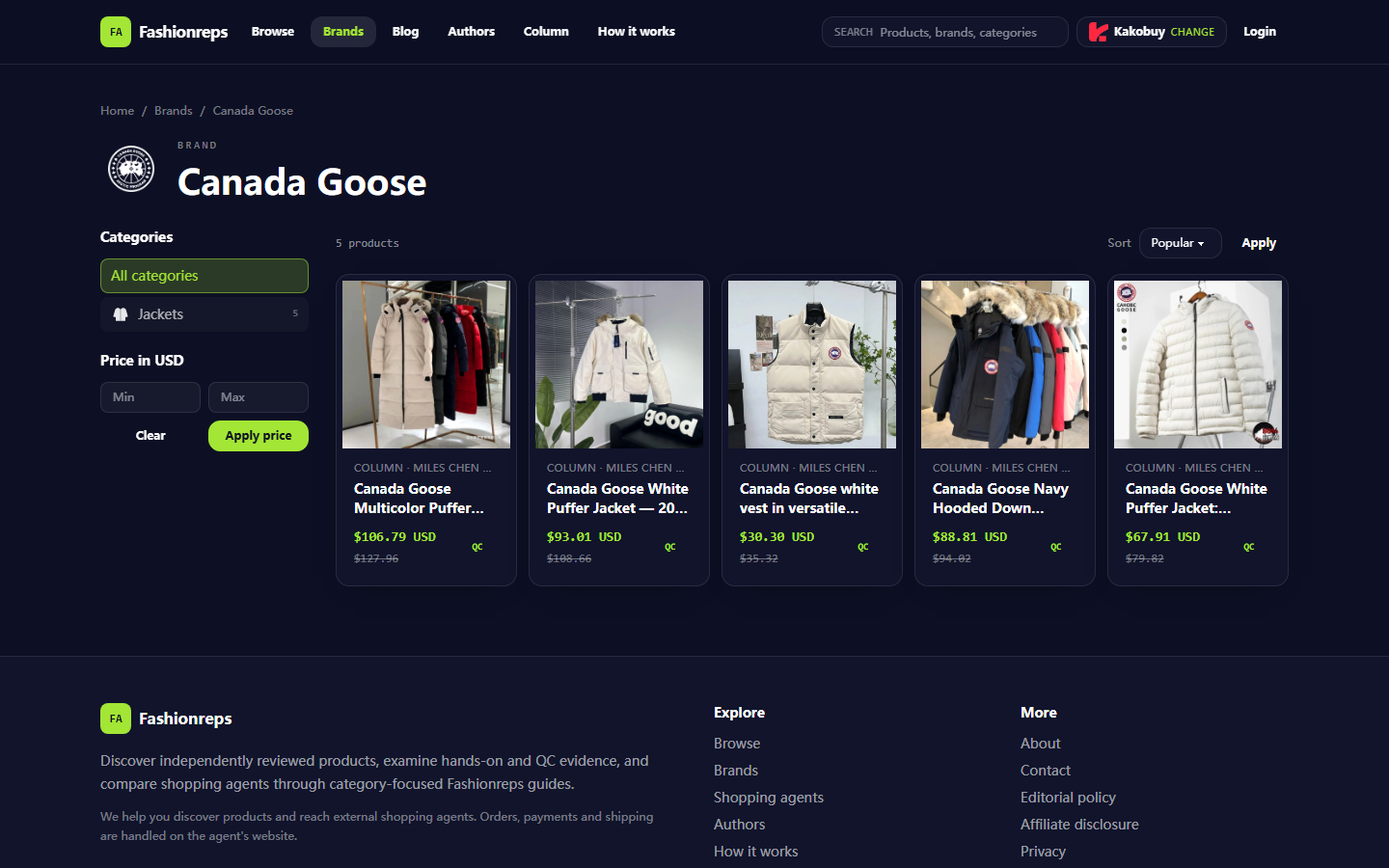
If you open a Canada Goose product link and find that the redirect URL, product title, color, size, images, or fill description don't match the original page, don't pay yet, and don't assume it's just a product change. Your task is to preserve the original page evidence, confirm whether the pre- and post-redirect pages are still pointing to the same product, and submit a reproducible verification request to the relevant site if you can't confirm. This article only applies to page information mismatches after a product link redirect—not to post-payment return disputes, lost shipments, or authenticity verification.

The illustrated page is only for explaining product information verification scenarios in brand catalogs. Reference prices, product quantities, and visible fields on the page may change over time, region, inventory, and site updates—never treat them as current quotes or inventory commitments.
What to confirm first in this anomaly
Define the problem as a verifiable difference, not just "the link is wrong." At minimum, record the following:
- The full URL of the original link, including parameters after the question mark.
- The full URL after clicking or redirecting.
- The query time for both original and target pages, preferably in Beijing time.
- The product title, brand, color, size options, images, and key descriptions displayed on both pages.
- Whether the page requires login, selecting a shopping agent, or re-selecting specifications.
- Whether the difference appears on first open, or only after refreshing, switching specifications, or returning to the catalog.
If the URL only gains tracking, agent, or product ID parameters, you can't conclude the product has changed. However, if the product title, main image, color options, and size range all change simultaneously, treat it as a high-risk signal that requires pausing. ⚠️
Record original link, post-redirect URL, product title, and query time
Use a simple before-and-after record, don't just save browser history. Browser history may merge similar URLs or fail to restore the fields you saw after page updates.
| Item | Original Page | Post-Redirect Page | Check Focus |
|---|---|---|---|
| URL | Full URL | Full URL | Whether domain, path, parameters, product ID changed |
| Title | Visible page title | Visible page title | Whether brand, style, gender, length, fill description are consistent |
| Specs | Color, size, options | Color, size, options | Whether reset to default or fewer options |
| Images | Main and detail images | Main and detail images | Whether same image set, only cropping or order changed |
| Time | Query time | Query time | Whether there's a page update or inventory sync interval |
When taking screenshots, the address bar, page title, and spec area should be visible together. Cover order numbers, names, phone numbers, addresses, payment info, and full shipping labels; don't expose account or order privacy to prove a point. 🔒
Distinguish parameter changes, page updates, and actual spec changes
Common causes fall into three categories.
First, link parameter changes. Sites may add agent selection, source tags, language settings, or session parameters when entering the product page. These usually don't change the product itself, but you should still check that the final page retains the correct product ID and specs.
Second, page updates. Product titles, reference prices, image order, available sizes, or description fields may change after catalog sync. In this case, compare page display time, product ID, and image set—not just the title.
Third, actual spec changes. If the redirect results in different colors, lengths, fill materials, gender fits, or completely different images, stop clicking further to avoid paying for the wrong product. A similar brand name on the page doesn't mean it's the same product, and it can't be used to judge authenticity or authorization.
How to build a before-and-after comparison for color, size, images, and description fields
Check in a fixed order, don't just focus on the most prominent main image:
- First check the product title and product ID. Record every item in the title—color, style, length, and fill description.
- Then check color options. Note that color names may have abbreviations, translation differences, or different batch spellings.
- Check whether size options are complete, whether a size is preselected, whether a size chart link or unit change appears.
- Compare the main image, side images, detail images, and images after switching colors. Image order changes don't necessarily mean a product change, but if the image subjects are inconsistent, further confirmation is needed.
- Finally, check descriptions for material, fill amount, fit, washing instructions, and temperature rating. Don't treat promotional copy on the page as verified physical attributes.
Group differences into three levels:
- Low-risk: URL parameter, page order, language or currency display changes, but product ID and specs are consistent.
- Medium-risk: Title, reference price, or image order changes, product ID not yet confirmed.
- High-risk: Brand or style field changes, color and size mismatches, images clearly belong to another product, or the page demands re-payment without explanation.
Reopen the link after returning to the catalog from the product detail page
Use the same browser session for a repeatable check:
- Keep the original page open, don't close the tab immediately.
- Copy the full URL and note the current page's title and main specs.
- Open the URL in a new tab and observe whether an auto-redirect occurs.
- Return to the relevant brand catalog on fashion-reps, find the product again, and enter the detail page from the product card.
- Compare the catalog card and detail page for title, reference price, and images. The number of Canada Goose products and reference prices currently visible in the catalog only represent the page state at query time.
- If the site requires selecting a shopping agent, confirm whether that action changes the final product URL or specs; don't treat the post-agent redirect page as evidence of the original page.
- Clear unnecessary filters and reopen once, only to confirm the issue can be reliably reproduced.
Don't refresh rapidly or repeatedly click the buy button. Frequent actions may change session parameters, default specs, or inventory display, making later verification harder. 🧭
What evidence to save when you can't confirm the same product
Save at least the following, labeling each with query time:
- Text record of original and post-redirect URLs.
- Screenshot of original page, including address bar, title, and spec area.
- Screenshot of post-redirect page, including same areas.
- Screenshot of catalog card to show how the product was reopened.
- Any error, login, agent selection, or spec reset prompts on the page.
- If the difference only appears for specific colors or sizes, record the exact selection path.
Screenshots should keep the page information complete; don't crop or edit to hide unfavorable fields. Image evidence only shows what the page displayed at that time—it cannot prove actual material, inventory, authenticity, or final shipped content.
When to stop clicking further or paying
Pause when any of the following occurs:
- The post-redirect domain or page purpose is unexplained and you can't confirm its relationship to the original product page.
- Two or more of product title, color, size, and images are inconsistent.
- The page auto-selects different specs that you can't revert.
- Payment amount, currency, shipping, or payee changes without clear explanation.
- The page requests unnecessary order, identity, or payment information.
- Site support can't reproduce the issue from your links and screenshots.
Stopping doesn't mean canceling the product. Keep the original draft, favorites, or candidate records to avoid creating duplicate orders or payments. If payment was already made, go through the order after-sales process; don't try to fix it by repeatedly clicking the original link.
How to submit a reproducible verification request when information is insufficient
Prioritize the site's Contact, Help, or customer service entry visible on the page; if the redirect has already entered a selected shopping agent, use that agent's official support channel. The request should be concise and reproducible, including:
- Original and post-redirect URLs.
- Query time, region, and currency settings for both pages.
- Specific mismatched fields, such as color, size, images, or fill description.
- Reproduction steps, e.g., "Enter detail page from brand catalog, select a color, click buy, then see a different title."
- Saved screenshots, with personal and payment info covered.
- What you want them to confirm: whether it's the same product, whether a page update occurred, whether specs need reselection.
Don't just send "link is wrong" or "please guarantee authenticity." The former can't locate the problem; the latter is beyond what page redirect verification can prove. Ask for a clear product ID, spec mapping, or correct entry point; if they only provide a new unexplained link, remain paused.
Final action: confirm same product, request additional evidence, or remove candidate
Verification results fall into three categories:
- Confirmed same product: Original and post-redirect links match on product ID, core title fields, color, size, and images—only parameters, order, or page update time differ. Save the record and reconfirm price, shipping, and specs on the current page.
- Need more evidence: Some fields match, but product ID, spec table, or images don't correspond. Ask site support or the shopping agent for a clear mapping; don't pay until you receive a verifiable reply.
- Cannot confirm or clearly inconsistent: Keep evidence and remove the candidate to avoid further clicks, duplicate payments, or recommending the page to others.
Regardless of outcome, don't interpret page reference prices, brand names, or product images as authenticity guarantees. The goal of page verification is only to confirm the link-spec relationship; payment, warehouse inspection, returns, shipping, and customs clearance at destination must still be confirmed separately according to the actual shopping agent and destination country rules. ✅