Seeing QC photos after entering the product page doesn't mean those photos have proven they correspond to the specific pants variant you selected. A safer approach is to first confirm the product identity, then check identifiable details in the photos; if key information doesn't match, pause payment or further actions and confirm with site support. 
Seeing QC photos after entering the product page doesn't mean those photos have proven they correspond to the specific pants variant you selected. A safer approach is to first confirm the product identity, then check identifiable details in the photos; if key information doesn't match, pause payment or further actions and confirm with site support.
Record the Identity Info on the Product Page First
Before clicking View QC Photos, save the basic info of the current product page. At least record the following:
- Full product title.
- Style number, item number, or SKU shown on the product page; if the page doesn't provide it, don't fill it in yourself.
- Color, size, and other selected variants.
- Current state of the variant selector and corresponding product image.
- Visit time and page screenshot.
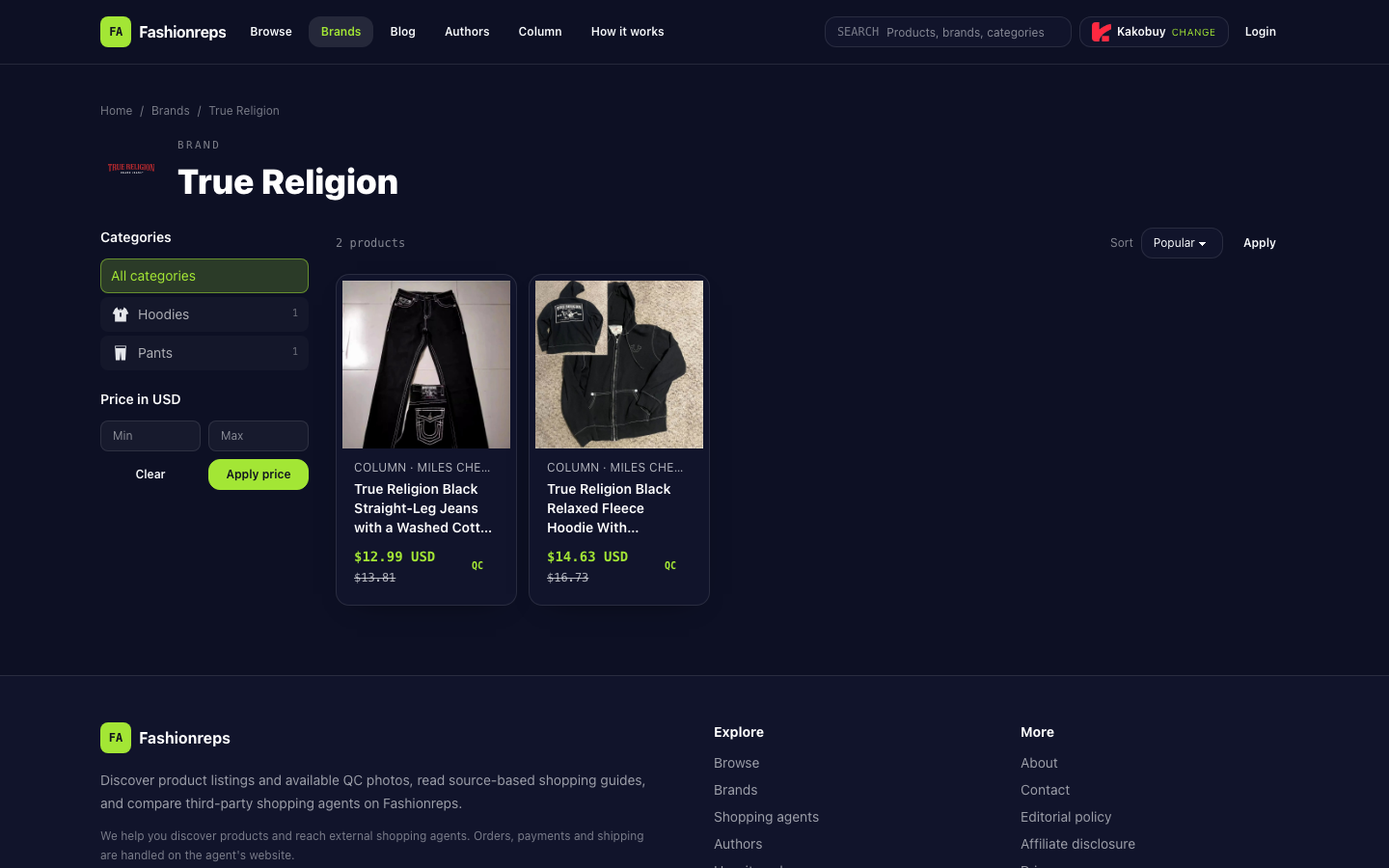
Fashionreps' True Religion brand page currently lists two items, including a black straight-leg jeans and a black baggy fleece hoodie. The brand page itself can only prove these items appear in that catalog; it cannot alone prove that a set of QC photos belongs to a specific pants variant, nor can it replace the style number and variant info on the product detail page.
After Entering QC Photos, Compare Item by Item Along the Identity Chain
After opening QC photos, don't just look at the brand logo or overall color. Check in the following order:
- First look at the product type. Confirm the image is indeed pants, not a top, similar style, or other order item from the same brand.
- Then look at the silhouette. Compare straight-leg, baggy, tapered, or other pants styles to see if they match the product page.
- Check color and wash effect. Black items can also be pure black, distressed, faded, or have different fabric treatments; don't judge solely by thumbnail.
- Check pocket construction, stitching, waistband, buttons, rivets, and hem. Prioritize details visible in both product page images and QC photos.
- Check if size tag, packaging label, order label, or other variant info appears in the photos. If it can correspond to the selected size or order record, the identity chain is more complete.
- Check if the number of photos and shooting angles are sufficient. If only partial, blurry, or no label photos, don't treat unobservable parts as confirmed facts.
Divide Conclusions into Three Categories
When checking, it's best not to directly write "same style" or "not same style", but record the strength of evidence separately.
Page-visible Facts
Write only what can be directly seen on the page and images, such as product title, selected color, selected size, pants silhouette, number of pockets, or hem design. Don't write weak features like same brand name or same color as the sole identity basis.
Needs Additional Photos to Confirm
If the page doesn't show the style number, or QC photos lack tags, size labels, and complete details, explicitly list the gaps. For example: cannot confirm whether QC photos belong to the current size, cannot confirm whether wash version is consistent, cannot confirm whether photos correspond to the current order.
Editor's Judgment
Only when the product page identity info, variant selection, and QC photo details correspond to each other can you write "existing evidence supports correspondence". This is still not a guarantee of quality, fit, or physical experience, but only indicates that product identity verification has reached a reasonable level within the current evidence scope.
Stop Conditions When Inconsistencies Are Found
If any of the following occurs, pause payment, additional payment, forwarding, or other irreversible actions:
- The product page has style number or variant info, but no corresponding identifier is visible in QC photos.
- Color, pants style, pocket construction, or hem in QC photos are clearly different from the product page.
- The page selects one size, but the photo label shows another size, without a reasonable explanation.
- QC photos show multiple similar items, and it's impossible to tell which set belongs to the current order.
- The product page and QC photos can only be linked by brand name or approximate color, lacking more specific corresponding evidence.
- Photos are blurry, insufficient in number, or after jumping to entry you cannot return to the original product and order chain.
These situations cannot directly prove that the site or seller made an error, but they sufficiently indicate that current evidence is insufficient to support further action.
What to Provide When Asking Site Support Channels
When contacting Fashionreps page or order support channel, provide complete information at once to reduce back-and-forth:
- Product page screenshot and product page URL.
- Product title, style number, or SKU; if none, explicitly write "page does not show".
- Selected color and size.
- QC photo page screenshot or photo numbers.
- Specific locations you think are inconsistent, such as hem, pockets, color, or size tag.
- Inquiry time, and the question you want confirmed: whether QC photos correspond to the current product, current variant, and current order.
When asking, avoid only saying "is this authentic" or "does it look right". A more effective question is to ask support personnel to confirm the correspondence between product page, variant, order, and QC photos, and explain which evidence is missing.
Final Judgment Criteria
If the style number or SKU, color, size, product details, and QC photos can form a continuous correspondence chain, you can record "existing photos support the same product identity". If any key link cannot be verified, record "confirmation incomplete" instead of concluding based on similar appearance.
Currently verifiable brand catalog info only indicates that the True Religion brand page lists related pants items; it cannot prove that specific QC photos belong to the variant you selected. Without sufficient product detail page, variant info, and QC photo evidence, the safest action is to pause further operations and wait for site support channel confirmation.